Key takeaway: To create a Google review QR code in 2026: Copy your business review link from Google Search ('Ask for reviews'), generate a high-contrast QR code formatted to a 10:1 scan distance ratio, and print it on countertop stands or receipts.
Every customer who walks out of your store, clinic, or restaurant without reviewing is a missed opportunity. Over 88% of local consumers trust Google reviews as much as personal recommendations, but asking people to manually search your business name on their phones causes 80%+ drop-off. A countertop QR code turns satisfied walk-in customers into verified 5-star Google reviews in 10 seconds.
Step 1: Grab Your Direct Google Review Shortlink
Never link your QR code to your general Google Maps listing. If you do, customers must scroll down, hunt for the reviews section, and click 'Write a review.' Instead, use our free Google review link generator or grab Google's direct review trigger URL manually:
- Log into the Google account that manages your Business Profile.
- Search your exact business name on Google to open the merchant manager dashboard.
- Click the icon labeled **Ask for reviews** (or 'Get more reviews').
- Copy your official shortlink (format: `https://g.page/r/.../review` or `https://maps.app.goo.gl/...`).
Step 2: Static vs Dynamic QR Codes (The Critical Choice)
Before printing expensive acrylic signs or stickers, you must choose between static and dynamic QR code architectures:
- **Static QR Codes (Free):** The Google URL is hardcoded into the black-and-white pixel pattern. They never expire and cost nothing. However, you cannot track how many people scanned them, and if Google changes your URL, all your printed signs become useless paperweights.
- **Dynamic Smart QR Codes (Recommended):** The QR code points to a lightweight redirect link (e.g., `collectratings.com/r/your-brand`). You can update the destination URL at any time, monitor scan counts per location, and enable negative feedback shielding.
Comparing Google Review QR Code Methods
| Feature | Free Static Generator | Generic QR SaaS ($15-$30/mo) | Zyene Smart Review QR |
|---|---|---|---|
| Direct 5-Star Pop-up | Yes | Yes | Yes |
| Scan Tracking & Analytics | No | Yes | Yes (Location-Scoped) |
| Editable Destination Link | No (Must Reprint) | Yes | Yes |
| Negative Feedback Shield | No (Public) | No (Public) | Yes (Routes <4 Stars Privately) |
| Custom Branding & SMS Flow | No | Limited | Yes (Multi-Channel) |
Step 3: Print Sizing & The 10:1 Scanning Rule
The number one reason in-store QR codes fail is poor sizing and low contrast. Modern phone cameras follow a 10:1 distance-to-size scanning ratio: your QR code width must be at least 1/10th the distance from the user's camera lens.
- **Countertop & Desk Stands (15-20 inches away):** Minimum 2.0 x 2.0 inches (5 x 5 cm).
- **Printed Receipts & Invoices (10 inches away):** Minimum 1.0 x 1.0 inch (2.5 x 2.5 cm).
- **Window Decals & Banners (3-5 feet away):** Minimum 4.0 x 4.0 inches to 6.0 x 6.0 inches (10-15 cm).
- **Contrast Rule:** Maintain black or dark navy pixels against a pure white background. Low-contrast pastel colors fail on budget smartphone sensors.
5 High-Converting Placements for Your QR Code
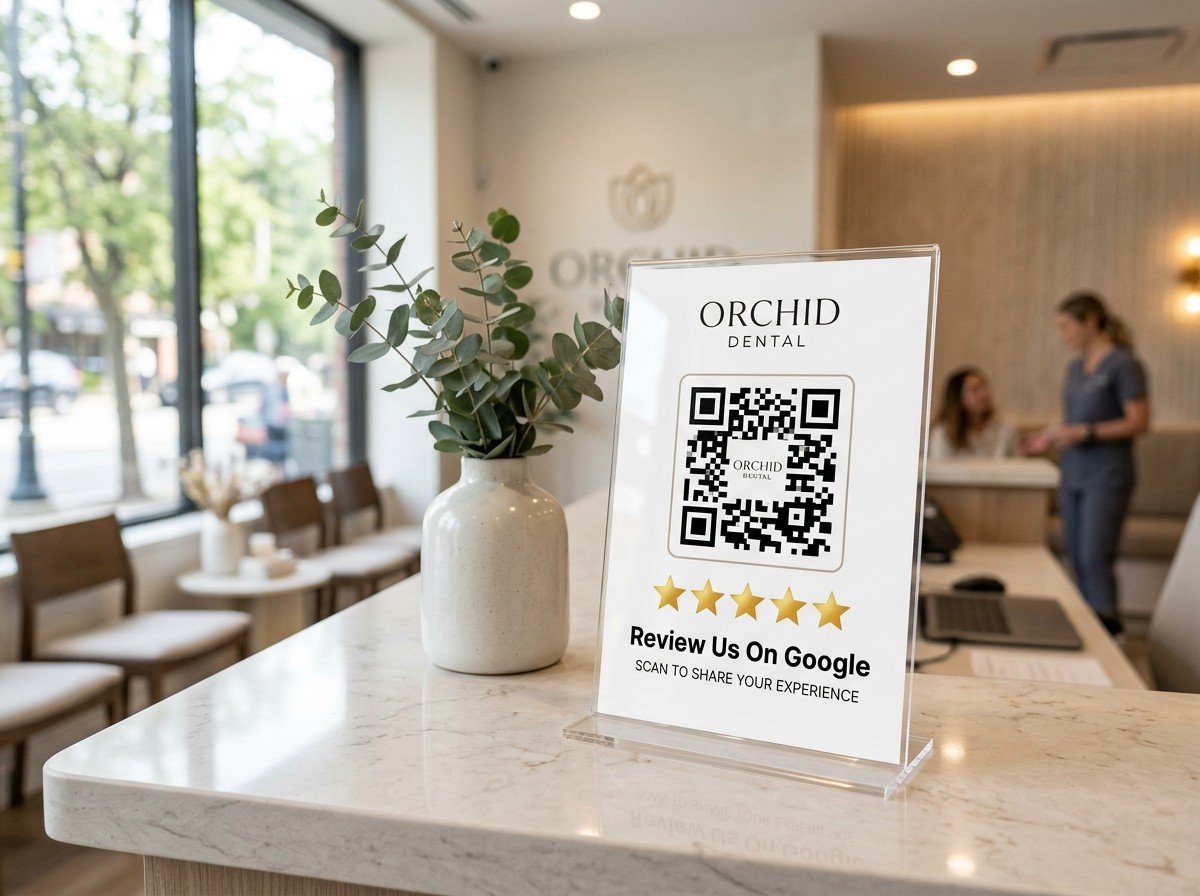
- **Checkout Counter Stands:** Place acrylic L-stands right next to the POS terminal or credit card reader where customers wait for receipts.
- **Dining Table Tents & Bar Coasters:** In restaurants and cafes, place subtle table cards so patrons can scan while waiting for dessert or their check.
- **Appointment Clipboard Backing:** Dental and healthcare clinics achieve 40%+ scan rates by affixing QR stickers to the back of intake clipboards.
- **Post-Service Receipts & Packaging:** Print dynamic review QR codes on retail takeout bags, packing slips, and HVAC/plumbing service invoices.
- **Technician Vehicle Magnets:** Service businesses can place high-visibility QR decals on fleet vehicle side panels.
Eliminate Negative Review Risk with Smart QR Routing
Printing a raw Google link on your counter carries a hidden danger: an irritated customer who had a bad experience can scan your sign and immediately post a permanent 1-star complaint on Google Maps (learn what options exist for removing Google reviews if policy violations occur). Zyene Reviews' smart QR codes solve this with an intelligent sentiment filter: happy customers go to Google in 1 tap, while unhappy customers submit private feedback directly to your inbox so you can resolve issues before they hurt your reputation. Over time, evaluate customer trends using AI review insights to spot operational themes.
Generate Your Branded Google Review QR Code →
Get Started