Key takeaway: Direct Answer: You cannot click 'delete' on a Google review. To remove a review, you must prove it violates Google's content policies (deceptive content, harassment, profanity, or conflict of interest). Flag the review in your Google Business Profile, track and appeal rejected decisions via Google's Review Management Tool, post a calm public reply for prospective buyers, and dilute unremovable ratings with automated review collection.
You sit down after a long shift, check your phone, and discover a vitriolic 1-star Google review from someone your team has never served. The comment contains demonstrably false claims, yet your profile offers no 'delete' button. Navigating this challenge requires understanding Google's dispute architecture rather than seeking a non-existent quick fix.
1. Google Review Removal Starts with Policy Violations
Google only moderates reviews that violate specific platform standards. Legitimate disputes fall into core policy categories: Deceptive Content (fake engagement, impersonation, competitor sabotage), Civil Discourse (harassment, hate speech, offensive language), and Conflicts of Interest (disgruntled ex-employees or paid attacks). Google routinely rejects removal requests based purely on factual disagreements.
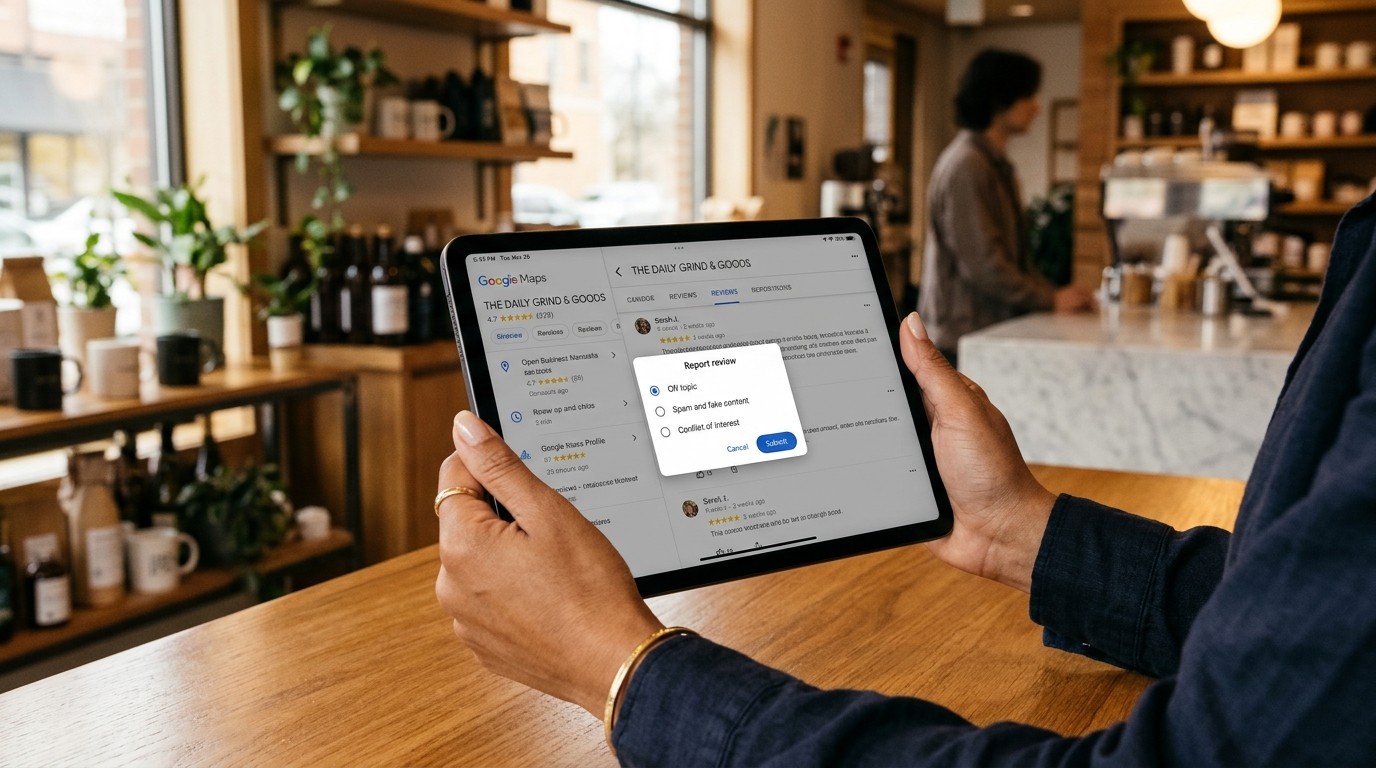
2. Step-by-Step: Flagging a Review on Google
- **Locate the Review:** Log into the Google account tied to your business listing and search for your business on Google Search or Maps.
- **Open Review Menu:** Click 'Read reviews', find the offending comment, and click the three vertical dots (More options) in the corner.
- **Select Policy Category:** Click 'Report review' and select the exact policy violation (e.g., 'Spam and fake content' or 'Conflict of interest').
- **Submit & Retain Records:** Submit the report and save Google's confirmation email containing your dispute case reference.
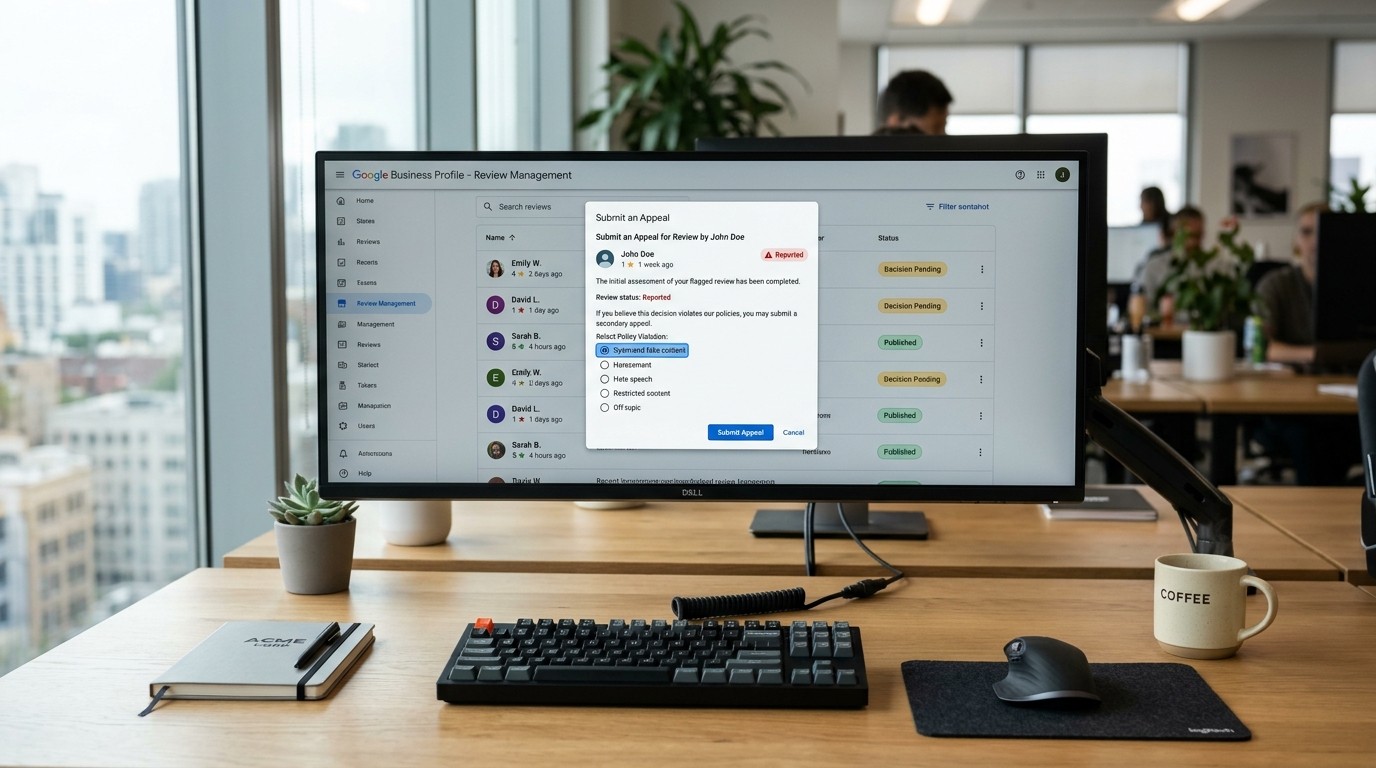
3. Escalate Disputes via the Review Management Tool
If Google's initial automated scan marks your report as 'No policy violation', do not give up. Access Google's standalone Review Management Tool. This portal lists all previously reported reviews across your listings. If a flag is denied, click 'Submit an appeal' to submit a concise factual statement explaining why the reviewer was never a customer and how the post breaches guidelines.
4. Identifying Fake Reviews vs Legitimate Complaints
| Audit Factor | Authentic Negative Review | Fake or Malicious Review |
|---|---|---|
| Customer Record | Matches POS, invoice, or appointment book | Zero record in billing or CRM system |
| Content Specifics | Details actual service dates, items, or staff | Vague rants or mentions items you do not sell |
| Reviewer History | Real local account with established history | Brand-new profile, no photo, or cluster posts |
| Timing Pattern | Occurs shortly after a documented incident | Appears in sudden spikes with similar phrasing |
5. Public Damage Control While Awaiting Moderation
Google's moderation review can take several days. During this window, prospective customers are reading your profile. Always post a calm, professional reply. State politely that you have no record of the individual in your customer database and invite them to reach out directly. If Google removes the review, your reply disappears with it; if kept, future customers see transparent accountability.

6. Diluting Unremovable Reviews with Review Velocity
When a critical review does not breach Google's policies, it remains public. The most effective antidote is dilution. Gaining 15 to 25 genuine 5-star reviews each month pushes older negative entries below the fold and elevates your aggregate star rating to a healthy 4.8+.
Take Control of Your Google Reputation with Zyene
Zyene Reviews connects directly to your Google Business Profile to monitor incoming feedback in real-time, generate on-brand AI responses, and route private feedback from unhappy customers before public reviews are posted.
Protect Your Google Reviews with Zyene Free →
Get Started